Hi,
This is my first post here and hope it isn't too difficult to understand in the way I explain it.
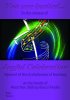
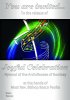
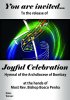
I have to create an invitation card that basically had the book that will be released at the event in the center (portrait size canvas) with two thick bars covering its top and bottom containing words that I have made to look like embossed or engraved ones using layer styles.
Now my superior wants it to be such that the singular colour bars are transparent so that it can be printed on coloured paper to save ink for that particular colour. I tried creating the whole PSD with a white background layer and adding the text on top with the layer effects (the inner glow of the text is 'multiply' while the drop shadow in white is 'overlay'. The text itself is black but set to 'soft light' so it's almost transparent and looks good no matter what background colour is set.
Also the thick bars on which the text reside have two dark gradients from the left and right to make it look 3Dish like a curved paper surface.
Now I thought (stupidly) that I could save it as a JPEG to after removing the background so that only transparent parts are visible but this doesn't work and the text is visible in the JPEG as simple black without the effects. What can I do?
This is my first post here and hope it isn't too difficult to understand in the way I explain it.
I have to create an invitation card that basically had the book that will be released at the event in the center (portrait size canvas) with two thick bars covering its top and bottom containing words that I have made to look like embossed or engraved ones using layer styles.
Now my superior wants it to be such that the singular colour bars are transparent so that it can be printed on coloured paper to save ink for that particular colour. I tried creating the whole PSD with a white background layer and adding the text on top with the layer effects (the inner glow of the text is 'multiply' while the drop shadow in white is 'overlay'. The text itself is black but set to 'soft light' so it's almost transparent and looks good no matter what background colour is set.
Also the thick bars on which the text reside have two dark gradients from the left and right to make it look 3Dish like a curved paper surface.
Now I thought (stupidly) that I could save it as a JPEG to after removing the background so that only transparent parts are visible but this doesn't work and the text is visible in the JPEG as simple black without the effects. What can I do?