Photoshop Gurus Forum
Welcome to Photoshop Gurus forum. Register a free account today to become a member! It's completely free. Once signed in, you'll enjoy an ad-free experience and be able to participate on this site by adding your own topics and posts, as well as connect with other members through your own private inbox!
You are using an out of date browser. It may not display this or other websites correctly.
You should upgrade or use an alternative browser.
You should upgrade or use an alternative browser.
Transform and image (make it smaller/larger)
- Thread starter skjc
- Start date

Hoogle
Guru
- Messages
- 7,940
- Likes
- 2,488
no it will just stretch the pixels that are already there. Downsizing is not a problem upscaling can make the image look pixelated but depending on the original image and quality you may be able to make it about 50% larger if it is a good resolution starting image. However you will be better off resizing the image by going to image > size and selecting the best resizing option if you want to change it dramatically.
But even that method will loose clarity if you go to big.
But even that method will loose clarity if you go to big.
thanks. Sorry but I am confused with this process (I have an example)
I have an image that is 100 x 200 and it is being used for web only. I want to make it bigger but the pixel size on my monitor is constant so if I make the 100 x 200 bigger by transform I can't be making the pixels bigger on screen because they are always the same size. I hope this makes sense as I am a bit lost here.
thanks
I have an image that is 100 x 200 and it is being used for web only. I want to make it bigger but the pixel size on my monitor is constant so if I make the 100 x 200 bigger by transform I can't be making the pixels bigger on screen because they are always the same size. I hope this makes sense as I am a bit lost here.
thanks
Hoogle
Guru
- Messages
- 7,940
- Likes
- 2,488
well that is not always the case.
an example you can have 2 images that are 1000 X 1000 Px in size and the same image.
image 1 can have a resolution of 72 dpi
image 2 can have a resolution of 300 dpi
these are dots per inch the 300 dpi has more details will be sharper as the image is broken down into a lot more dots there for you can transform this image to a lot bigger than 1000 x 1000 px and would see little difference.
if you transform the image of 72 dpi then it will begin to get blurry.
basically the higher dots per inch the better quality the image is the lower dots per ince means the dots are bigger and loose detail.
depending on how much you want to resize it then you need to understand about dpi rather than px count.
an example you can have 2 images that are 1000 X 1000 Px in size and the same image.
image 1 can have a resolution of 72 dpi
image 2 can have a resolution of 300 dpi
these are dots per inch the 300 dpi has more details will be sharper as the image is broken down into a lot more dots there for you can transform this image to a lot bigger than 1000 x 1000 px and would see little difference.
if you transform the image of 72 dpi then it will begin to get blurry.
basically the higher dots per inch the better quality the image is the lower dots per ince means the dots are bigger and loose detail.
depending on how much you want to resize it then you need to understand about dpi rather than px count.
Thanks Hoogle, I am unsure if that is correct (I am new so apologies).
If the image is 1000 x 1000 then the dpi is irrelevant on the web (or so I thought). 1000 X 1000 is a total of 1M pixels whether it is 300 dpi or 72 dpi. For printing it makes a difference but for the web it doesn't (?). So my monitor would show both images exactly the same. This is what I believe but I am usually wrong
The thing is that if I then make by image bigger by resizing (not using the image > image size but by dragging with transform) does this perform an auto resample ?
I just can't seem to get my head around this one and its painful for you to explain so thank you again
If the image is 1000 x 1000 then the dpi is irrelevant on the web (or so I thought). 1000 X 1000 is a total of 1M pixels whether it is 300 dpi or 72 dpi. For printing it makes a difference but for the web it doesn't (?). So my monitor would show both images exactly the same. This is what I believe but I am usually wrong
The thing is that if I then make by image bigger by resizing (not using the image > image size but by dragging with transform) does this perform an auto resample ?
I just can't seem to get my head around this one and its painful for you to explain so thank you again
thank you very much again especially for your patience. I don't think I am explaining it very well so I will make one last try (my fault not yours).
On my monitor the pixels are set with the display as 1680 x 1050 they are all the pixels I have and the monitor size remains the same and the pixel size on my display remains the same (hope that makes sense).
I take my 100 x 200 pixel image which is using 20,000 of my screen pixels. I then make it 200 x 400 so now it is using 80,000 of my screen pixels. Those 60,000 pixels came from somewhere ? I cant have 20,000 bigger pixels (stretched) because my display pixel is the same size (it did not get bigger).
So I guessed the 60,0000 pixels were added by upsampling
On my monitor the pixels are set with the display as 1680 x 1050 they are all the pixels I have and the monitor size remains the same and the pixel size on my display remains the same (hope that makes sense).
I take my 100 x 200 pixel image which is using 20,000 of my screen pixels. I then make it 200 x 400 so now it is using 80,000 of my screen pixels. Those 60,000 pixels came from somewhere ? I cant have 20,000 bigger pixels (stretched) because my display pixel is the same size (it did not get bigger).
So I guessed the 60,0000 pixels were added by upsampling
Hoogle
Guru
- Messages
- 7,940
- Likes
- 2,488
Sorry I am tired and not explaining myself very clear. will try and be clearer here
the dpi is for print
however saving for web will exagerate the low resolution more and can look pixelated if it is a low quality image. so enlarging it will make it look even worse when you upload the image. hope that is clearer.
the dpi is for print
however saving for web will exagerate the low resolution more and can look pixelated if it is a low quality image. so enlarging it will make it look even worse when you upload the image. hope that is clearer.

ibclare
Queen Bee
- Messages
- 9,890
- Likes
- 4,028
Hi skjc, welcome to PSG.
Hoogle's explanation is accurate. I think you have some preconceived notion and are not really reading carefully. Try reading through this again. Meantime, since I don't think I can explain it any better, I will see if I can find some further reading for you
Hoogle's explanation is accurate. I think you have some preconceived notion and are not really reading carefully. Try reading through this again. Meantime, since I don't think I can explain it any better, I will see if I can find some further reading for you
ibclare
Queen Bee
- Messages
- 9,890
- Likes
- 4,028
Try searching resampling on the forum. Maybe that will help you understand. It isn't an easy concept if you haven't played with it -- in actuality. So I don't mean to sound patronizing to you and I apologize if I did. It took me a while to really wrap my head around the idea.
thank you
I think I may finally have it if this is correct that is:
I have an image that is 100 x 200 and is represented on screen by 100 x 200 screen pixels. I make it 200 x 400 by resizing. What happens (I think) is that it is not resampling it is indeed stretching my pixels. The image is still 100 x 200 pixels but is now represented on screen by 200 x 400 pixels. So 1 image pixel now = 2 screen pixels so it is stretched and looks blurry/pixelated
I think I may finally have it if this is correct that is:
I have an image that is 100 x 200 and is represented on screen by 100 x 200 screen pixels. I make it 200 x 400 by resizing. What happens (I think) is that it is not resampling it is indeed stretching my pixels. The image is still 100 x 200 pixels but is now represented on screen by 200 x 400 pixels. So 1 image pixel now = 2 screen pixels so it is stretched and looks blurry/pixelated

hawkeye
Guru
- Messages
- 2,186
- Likes
- 1,054
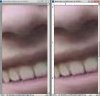
When in doubt check it for yourself. In the screenshot one image has been resized to double it's original, the other the canvas was double sized then the image transformed to fit the canvas. The results as you can see, are pretty much identical. (shown at 400%)