What's new
Photoshop Gurus Forum

Welcome to Photoshop Gurus forum. Register a free account today to become a member! It's completely free. Once signed in, you'll enjoy an ad-free experience and be able to participate on this site by adding your own topics and posts, as well as connect with other members through your own private inbox!

Photoshop Challenge - Week#2


Vafann

Guru
Messages
1,334
Likes
367
Hello all! I have been asked by Belial to start the Challenge for week #2, so here goes my idea..

This week I would like us all to try out using displacement maps to wrap a texture around an object.

You can wrap whatever texture you want around any object you want, though I think it would be fun to see some faces, just make whatever you think is cool.

So, make some kind of image incorperating displacement maps.

Here is a tutorial I found online that shows the basic steps, then it is up to us to use them on something original.

Have fun! :) / Vafann


Photoshop Tutorial: Displacement Maps
 
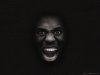
Hi Mates

I thought i could also submit my entry to this week challenge "displacement maps"

So here we go. (1600*1200)

leather face_final.jpg

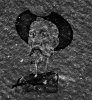
I've discovered this tut a long time a go How to Apply Textures to Uneven Surfaces and has been really helpful, I've picked up some tips and tricks from it, hopefully somebody will find this helpful as well.

I really enjoyed playing whit this technique, it's was fun.
 
I used an existing image i have and some old concrete thrown in.
 

Attachments

  • belials displace crackles.jpg
    belials displace crackles.jpg
    72.5 KB · Views: 39
I start to like Displace. Found that it can be usefull for example making wet paint flowing down effect.
This just quick preview, it can be done more accurate but i like that i don't have to really paint it :)
For horizontal Displace used some random wood texture (before that little displace with wall texture):
psg paint.jpg
 

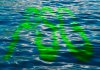
Great job! The text follows the water ripples like they were a part of it. I have one suggestion though, I think maybe the green color clashes a bit with the water color, I think it would flow better if you chose another shade of green or something that wasn´t so neon-like, on the other hand it does look kind of poisonous and that makes a statement about how polluted the waters of the world are. :)
 
Hi Mates

I thought i could also submit my entry to this week challenge "displacement maps"

So here we go. (1600*1200)

View attachment 5924

I've discovered this tut a long time a go How to Apply Textures to Uneven Surfaces and has been really helpful, I've picked up some tips and tricks from it, hopefully somebody will find this helpful as well.

I really enjoyed playing whit this technique, it's was fun.

OK! What can I say?? This is absolutly pro work!! I think it´s soooooooooo great!!! I will have to check out that tutorial you linked, thank you!! :)
 
I used an existing image i have and some old concrete thrown in.

Really cool Belial! It looks like a movie poster for some kind of Astronaut thriller!

Man this challenge is sooo fun, everybody is coming up with such original ways to use displacement maps. Coool!
 
I start to like Displace. Found that it can be usefull for example making wet paint flowing down effect.
This just quick preview, it can be done more accurate but i like that i don't have to really paint it :)
For horizontal Displace used some random wood texture (before that little displace with wall texture):
View attachment 5930

Cool Senior S! I am going to give it another go again as well, maybe using text this time. This was really fun! :)
 
Vafann: I tried others shades but then letters comes out invisible. I found out for myself that water surface is tricky. And need much work to look good.
 

Back
Top