
What's new
Photoshop Gurus Forum

Welcome to Photoshop Gurus forum. Register a free account today to become a member! It's completely free. Once signed in, you'll enjoy an ad-free experience and be able to participate on this site by adding your own topics and posts, as well as connect with other members through your own private inbox!

Create an Underline for Text in PhotoShop 6


NinjaSk8terr

Member
Messages
6
Likes
0
I made an Image and Im using an ImageMap to create HyperLink Map Regions.

I would like the Text that is within the Image to appear as a HyperLink so people would know to click on it.

I've been using Photoshop 6 for some time and I cant determine if there is an UnderLine Function that I can use for Text.

Does anyone have a suggestion?
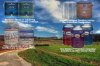
GreenSliderPic1Mod1.jpg
 
I actually found the Answer under the Palettes Button then Click the Arrow for more Options including Underline.

I made an Image and Im using an ImageMap to create HyperLink Map Regions.

I would like the Text that is within the Image to appear as a HyperLink so people would know to click on it.

I've been using Photoshop 6 for some time and I cant determine if there is an UnderLine Function that I can use for Text.

Does anyone have a suggestion?
View attachment 4856
 
Hi Ninja, glad you found your answer. I've still got PS6 on my old iMac, so if you have any more questions, give a holler. I'm no wiz but I've used it for years. Take care, IB
 
what are those pictures, may-I ask?
 
PS6 is before my time in using the software but I would think you will be hard pressed to get much support for it. Good luck though....
 
Ninja, I have found that pretty much everything you could do with older versions of PS is still within the newer versions, but knowing which tools are older vs. newer would be a challenge if you aren't familiar with the 6 (I started with version 5). I hope you'll be able to get CS5 at some point; it's amazing. I've only been using it for a few months and there are so many time saving elements, among other things. Nevertheless, PS6 is still a powerful tool and if you have specific questions, let me know. I have never used Photoshop to its fullest potential but I'll do what I can to help. Oh, btw, I like the website. Cheers, IB
 

Back
Top