
In my previous post about scanning very old pen and ink drawings and then moving them into a much smaller new page, Hawkeye came to my rescue and I've been able to complete about 50+ of these pages for publication. Thank you, Hawkeye, a zillion times over. I have hit a slight snag, though, and could use some help. I am actually taking scans of 3 different pages and then clipping and moving pieces from each page to the new page. My issue is that one of the originals is a lot darker than the other two and this makes each "piece" from that page look much darker than the others on the new page. I've attempted to lighten things up on the scanner but that hasn't done much good. Is there a way, after scanning, that I could make EACH page of drawings have the same levels of black and white so when I move them over to the new page, they would all have the same coloration. All of this work is being done in gray scale. I already use the Levels to make sure the background of each page is the same but not sure if Levels is where I'll find my answer to the difference in the black tones on each drawing. I'm attaching a copy of the page I'm talking about. Any help would be so much appreciated. Thank you!
Nan
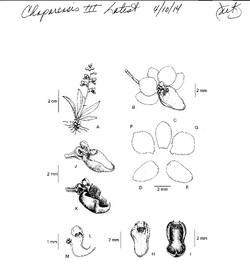
View attachment Scan 141020000.pdf
Nan
View attachment Scan 141020000.pdf


 Thanks Mike and Hawkeye! I'll try this out on Monday, when I return to my volunteer job. I'll let you both know if it works. Thank you, again.
