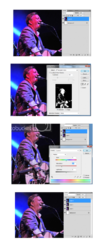
The previous replies have given some nice techniques to reduce the problem after it has occurred. However, the best approach is to understand what caused it and how to avoid it in the future.
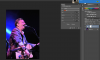
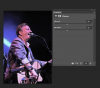
I can say with 100% certainty that at some point in the life of this image, one or more of the color channels was "blown". This is common photographic jargon for one of the RGB channels being maxed out, for example, (256, G, B), (R, G, 256), or even two channels (256, G, 256) maxed out. This imparts the characteristic look that you see in this photo. It is extremely common in concert and flower pix, especially those with dark backgrounds.
The solution is simple: decrease the exposure until this doesn't happen. You shot this using a Nikon d300, a very capable camera. Just set the rear display to show the histogram of each of the 3 channels separately, and then adjust the exposure compensation until you don't see a big spike at the RH edge of any of the 3 histograms.
To do this, you might have to decrease the exposure by 1 or 2 stops. This may seem like a lot, but (a) you can recover much of this in post-processing, and (b) it's vastly preferable to have no important blown pixels but slightly increased shadow noise, versus the opposite.
HTH,
Tom M