Hi,
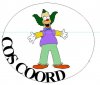
I am wondering what the best or correct way to do this:
The way I did it is as follows:
2 layers,
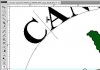
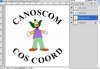
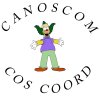
1st layer create a circle with the elliptical marquess tool - convert to a path and then type "CANOSCOM" on the path
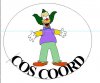
2nd layer same as above except "COS COORD" as the text.
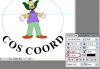
I had a real problem getting the COS Coord to be at the bottom as it is - I had to use the free transform tool to be able to get the letters in the correct orientation.
Is there another way to get the text effect without 2 layers?
Thanks
Tony
I am wondering what the best or correct way to do this:
The way I did it is as follows:
2 layers,
1st layer create a circle with the elliptical marquess tool - convert to a path and then type "CANOSCOM" on the path
2nd layer same as above except "COS COORD" as the text.
I had a real problem getting the COS Coord to be at the bottom as it is - I had to use the free transform tool to be able to get the letters in the correct orientation.
Is there another way to get the text effect without 2 layers?
Thanks
Tony